
iOS, Android or a responsive web app?
The right platform follows the behavior you need to support. A customer portal that is used occasionally may work well in a browser. A product used throughout the day may benefit from device integration and an installed experience. We identify those requirements before committing to a native or shared approach.
Choosing mobile also creates release and support responsibilities. The business needs developer accounts, privacy information, store assets and a process for responding to review questions. Those are part of the launch plan rather than administrative tasks discovered after the code is finished.
One shared build still needs platform-specific release work
Release responsibilities
- Area
- Customer workflow
- Shared work
- Common UI and business rules
- Platform-specific verification
- Navigation, keyboard, safe areas and accessibility on target devices
- Area
- Permissions
- Shared work
- Purpose and fallback behavior
- Platform-specific verification
- iOS and Android permission prompts and denied states
- Area
- Payments and links
- Shared work
- Entitlement and routing rules
- Platform-specific verification
- Store policies, deep links and purchase restoration where applicable
- Area
- Release
- Shared work
- Build and acceptance checklist
- Platform-specific verification
- Signing, store records, review responses and release approval
| Area | Shared work | Platform-specific verification |
|---|---|---|
| Customer workflow | Common UI and business rules | Navigation, keyboard, safe areas and accessibility on target devices |
| Permissions | Purpose and fallback behavior | iOS and Android permission prompts and denied states |
| Payments and links | Entitlement and routing rules | Store policies, deep links and purchase restoration where applicable |
| Release | Build and acceptance checklist | Signing, store records, review responses and release approval |
The backend is part of mobile app development
A mobile interface depends on accounts, data and server behavior. We follow sign-up, the core task and any payment or notification through the connected systems. An app that opens successfully can still fail to save the work or expose the wrong account information.
Interrupted connections matter too. Decide which actions should wait, which can be retried and how the user knows whether a change was saved. These are product decisions: repeating a read is different from repeating a payment or booking.
What App Store and Google Play submission includes
We scope the signed release builds, account configuration, store information and review preparation the project needs. Your business controls the Apple and Google developer accounts. The plan should name who supplies screenshots, support details, privacy disclosures and review access.
Expo’s submission documentation distinguishes uploading a build from store review and public release. Apple also publishes requirements for completeness, review access and other app behavior. We check the current requirements for the product rather than treating a past submission as a guarantee of approval.
- Confirm the business owns the relevant store and signing setup.
- Prepare the build and test the agreed journeys on target devices.
- Complete metadata, privacy information and any reviewer access needed.
- Submit the version and handle review questions within the agreed scope.
- Verify the public installation and customer journey after approval.
What changes mobile app cost and timing?
Device integrations, roles, payments, offline behavior and backend readiness affect the build. Supporting both platforms also creates a testing and release matrix. A date that ignores external review or unfinished account setup is not a dependable launch plan.
We separate development milestones from submission, approval and public availability. Maintenance must account for future changes in the operating systems, dependencies and service integrations. Your proposal should identify those responsibilities rather than promising that a finished app will never need further work.
Product experience that connects the screens to the work
LifeScribeAI combines voice conversations, a structured memory library and access for family members. UpGig combines employer workflows, candidate information and AI phone screens. Those portfolio examples demonstrate connected product work that is relevant when planning a mobile experience.
The lesson for your app is to test the complete journey behind each screen. We use the public portfolio to explain that experience accurately and agree separately on your required platforms, store deliverables and release scope.
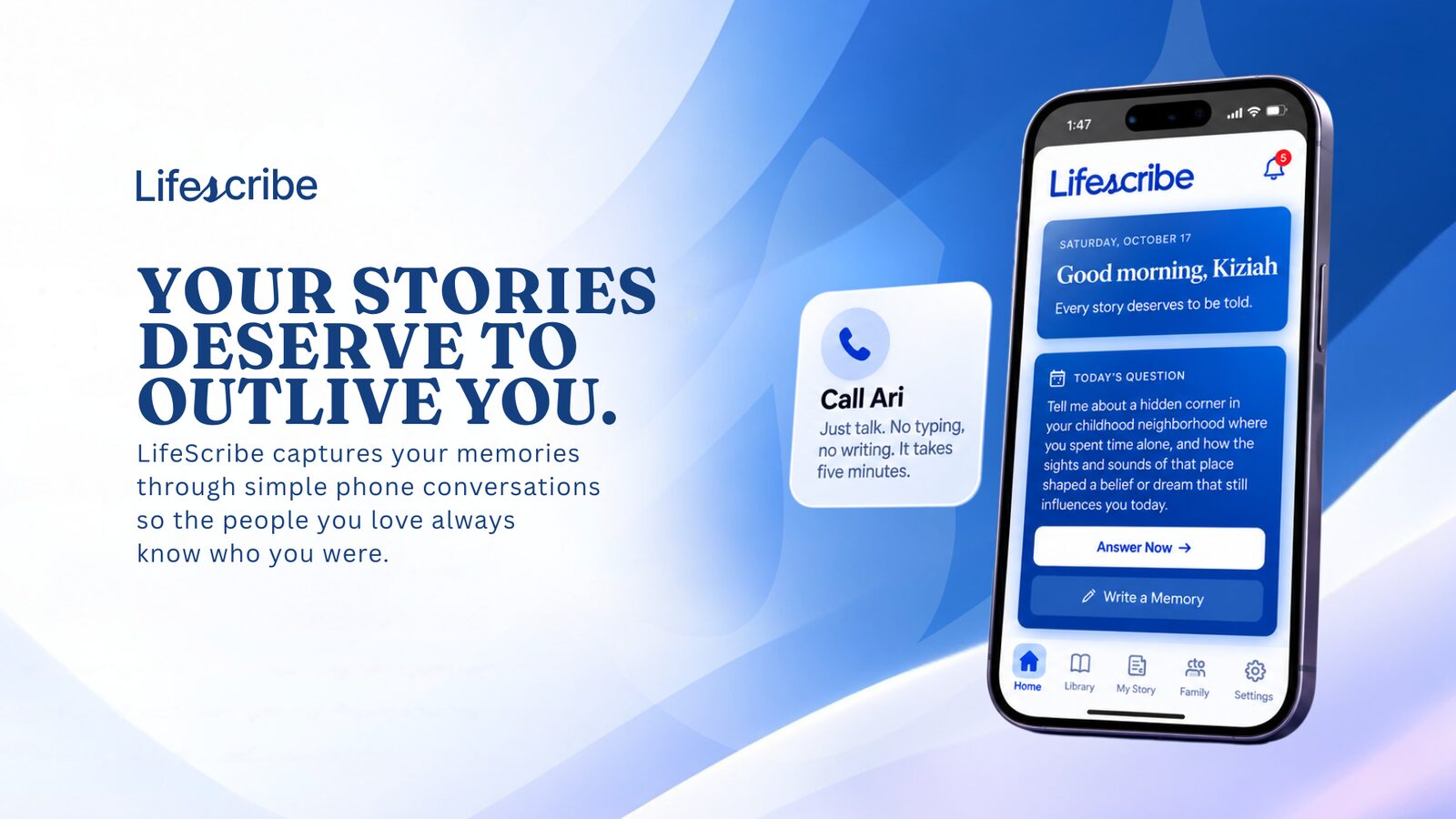
From our portfolio / LifeScribeAI
LifeScribeAI connects conversational capture, a structured memory library and family access. It is a relevant example of the product and data work behind a personal mobile experience.
Read the LifeScribeAI case studyBefore you hire a mobile app developer
Use this to compare an implementation quote with a complete release plan.
- Ask which real devices and operating system versions are included in testing.
- Identify who owns the store accounts and signing configuration.
- Ask whether store metadata, review responses and public release verification are included.
- Walk through a failed connection, denied permission and expired session.
- Define the backend handover and post-launch maintenance responsibilities.
Hire TDAT to build your mobile app.
Hire TDAT to build and prepare your mobile app for release. We plan the iOS, Android and web journeys you need, connect the backend, test on the agreed devices and prepare the store submissions included in your proposal. You keep control of the code, signing configuration and developer accounts.
Hire TDAT for your mobile appOn the project call, we’ll discuss the problem, your existing tools and what TDAT should take off your hands. Then we can define the scope and next steps.
Or call (919) 289-1231
Questions before we start
Can one build support iOS and Android?
Often it can share substantial code. We assess native integrations and platform differences before choosing an approach, and test the agreed experience on both platforms.
Do you help submit apps to Apple and Google?
Yes. We scope release preparation and submission work in business-owned developer accounts. The stores make their review decisions, and the agreed release plan distinguishes submission from public availability.
Is TestFlight the same as being in the App Store?
No. TestFlight distributes a processed build for testing. Public App Store release requires the separate metadata, review and release process.
Can you take over an unfinished mobile app?
Yes. We review the source, backend, signing configuration and store access before defining a completion plan.
Should my business start with a web app?
It may be the better first step when a browser supports the required customer journey. We assess the usage pattern and device needs before recommending mobile distribution.