
Chatbot, automation or AI agent: which do you need?
A chatbot is an interface for a conversation. Automation follows a known set of steps. An AI agent uses a model to interpret a situation and select actions. A product can combine all three, but adding autonomy creates more behavior to test and more ways for a task to go wrong.
Our starting question is what uncertainty the system must handle. If every valid request follows the same route, predictable software may be the better investment. If requests arrive in varied language and need context from several systems, an AI component may be useful.
Choose by the work, not the label
- Approach
- Rules-based automation
- Good fit
- Known inputs and a repeatable path
- What to verify
- Exceptions, retries and notifications
- Approach
- AI assistant with retrieval
- Good fit
- Questions answered from business information
- What to verify
- Correct sources, access and unsupported answers
- Approach
- Agent with tools
- Good fit
- Variable requests that need connected actions
- What to verify
- Permissions, action results and human approval
| Approach | Good fit | What to verify |
|---|---|---|
| Rules-based automation | Known inputs and a repeatable path | Exceptions, retries and notifications |
| AI assistant with retrieval | Questions answered from business information | Correct sources, access and unsupported answers |
| Agent with tools | Variable requests that need connected actions | Permissions, action results and human approval |
Voice agents, chat assistants and connected business workflows
A useful voice agent needs more than a script. It needs to know who is calling, what information it may use, which actions it can take and when to hand the call to a person. A chat assistant has similar boundaries, even when the conversation happens on a website rather than over a phone.
For internal automation, the hard part is often the handoff between systems. The business may call a task complete when a CRM record exists, while the person doing the work needs an assigned owner, a usable summary and a notification. We map that complete outcome before scoping the integration.
Three agent workflows, three different acceptance tests
Decide what the agent can read and change
An agent should receive the access its job requires. Reading product documentation is different from reading a customer account, and preparing a draft is different from sending it. We define those boundaries in the connected tools and application code rather than relying on a prompt to enforce them.
Retrieval also needs an access model. An assistant that searches company documents must not return information simply because a document happens to be in its index. The relevant question is whether this user, in this business context, is allowed to see the material.
- Identify the records and documents needed for the task.
- Separate read actions, draft actions and committed changes.
- Name the actions requiring approval and the person who approves them.
- Define what happens when information is missing or a tool fails.
How to test an AI agent before customers rely on it
Build a set of representative requests and define the expected behavior for each. Include ordinary cases, ambiguous requests, attempts to obtain restricted information and failures in connected services. Judge the resulting business action as well as the text the model produces.
A first pilot should make it possible to compare the assisted workflow with the current one. Useful measures include completed tasks, corrections required, time spent by the human reviewer and operating cost per completed task. We agree on success criteria for the workflow so the pilot can be judged against the work it is supposed to complete.
Keep the examples after launch. A changed prompt, model or integration can alter behavior. Replaying the same cases gives you evidence of whether the new version improved the task or only changed the wording.
What changes the build cost and running cost?
Integration complexity, data readiness and the consequences of an incorrect action drive scope. An assistant that drafts a summary is a different job from one that changes records across several systems. The proposal should identify the tools, permissions, evaluation work and operating support it includes.
Running costs can include model usage, voice services, hosting and human review. A cheap response is not necessarily a cheap completed task if people must correct it. We establish what needs measuring during the pilot and keep provider accounts under your business’s control.
What the first engagement should hand you
The first phase should define one workflow, a bounded implementation and an agreed way to decide whether it is useful. We work through discovery, the connected build, review against examples and a controlled release. Larger autonomy follows evidence from that first workflow.
- A workflow map with inputs, actions, completion evidence and handoff rules.
- Business-owned source, instructions and connected service configuration.
- A review set showing expected behavior and unresolved limitations.
- An operating guide covering failures, review responsibilities and ongoing costs.
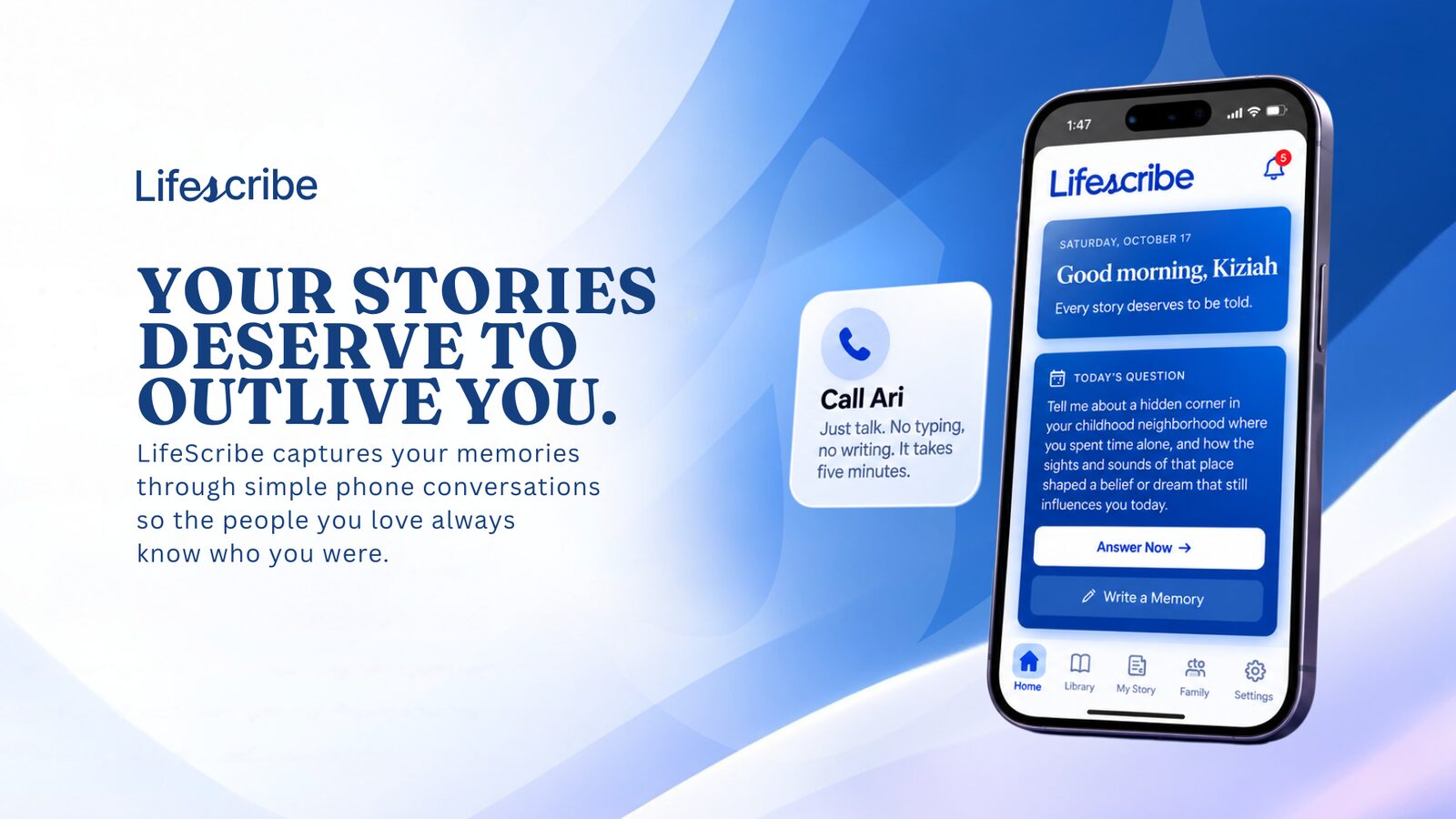
From our portfolio / LifeScribeAI
LifeScribeAI connects Ari’s voice conversations to a structured memory library and family access. The engineering lesson is the full path from conversation to stored information and permissioned access.
Read the LifeScribeAI case studyQuestions to ask an AI agent development company
Take these into any proposal conversation, including ours.
- Ask for a demonstration of the action in the connected system, not just a conversation.
- Ask which failures were tested and what happens when the model is uncertain.
- Ask which permissions are enforced by code rather than instructions.
- Ask who reviews sensitive actions and who receives failed-task alerts.
- Ask whether you receive the source, tool definitions and evaluation examples.
Hire TDAT to build your AI workflow.
We connect the approved information and tools, define which actions need a person, and test ordinary requests, restricted access and failed integrations. You receive the source, tool definitions, evaluation examples and operating instructions for the agreed build.
Hire TDAT for your AI workflowOn the project call, we’ll discuss the problem, your existing tools and what TDAT should take off your hands. Then we can define the scope and next steps.
Or call (919) 289-1231
Questions before we start
Can you build an AI agent for my business?
Yes. We start with a workflow review to decide whether an agent, a simpler automation or an existing feature is the best fit. The scope depends on the data, integrations and actions required.
Can an agent use my CRM or internal documents?
It can be designed to connect to existing systems where supported access is available. We first define what it may read, which records it may change and how user permissions are enforced.
Do you build AI voice agents?
Yes. Our public portfolio includes Ari in LifeScribeAI and AI phone screens in UpGig. Calling workflows, information handling and human handoffs are scoped for each engagement.
How much does AI agent development cost?
There is no single price for every workflow. We quote against defined integrations, permissions, testing and release requirements, and identify the services that create ongoing usage charges.
Will the agent run without human review?
That depends on the action and the evidence from testing. We define approval and handoff rules before release, and expand autonomy only where the agreed workflow supports it.