
Project stage: Live product.
Where it stands now
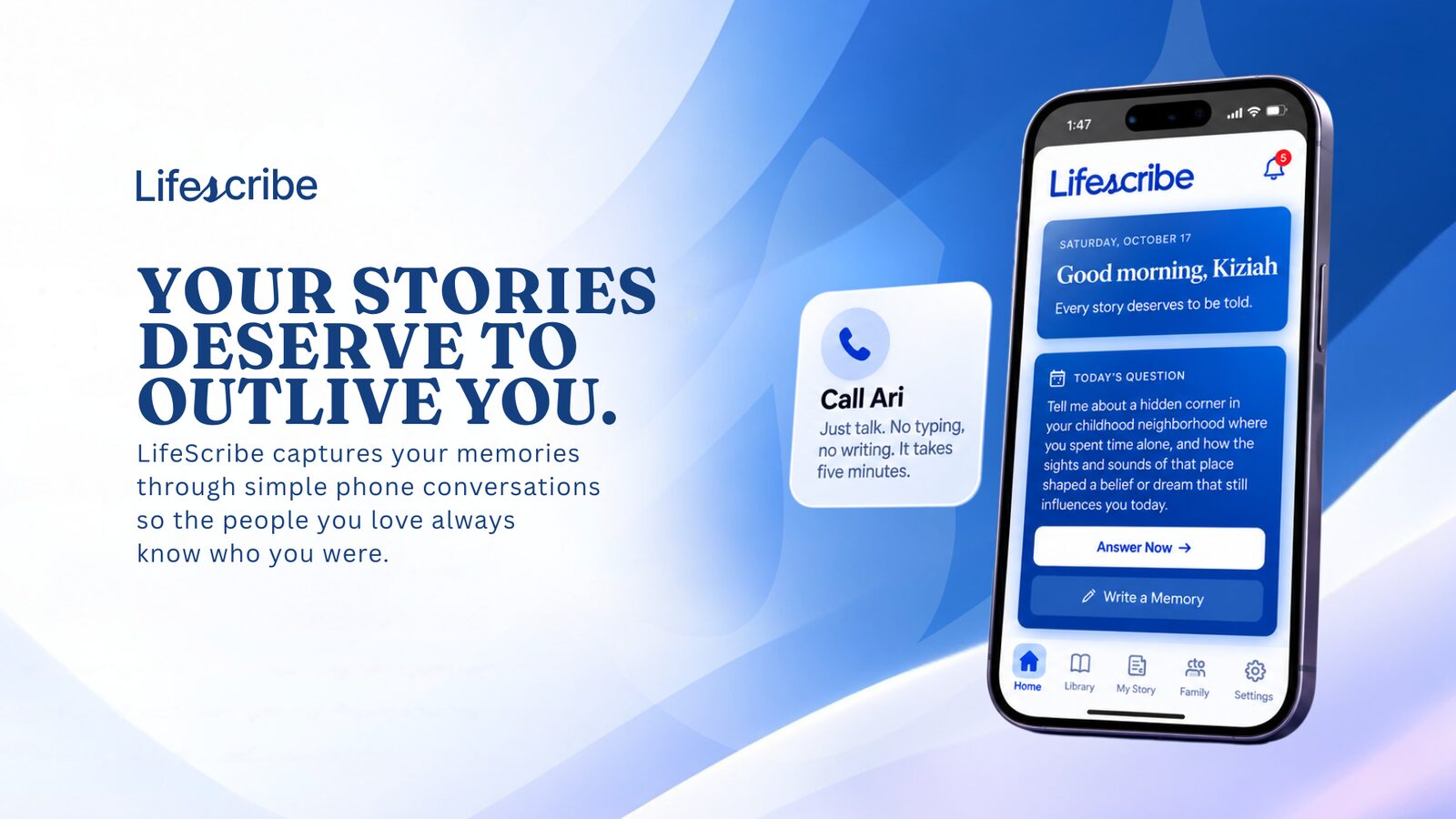
A working product with the loop from capture to legacy live: conversation capture, organization and family access are connected in the product.
- Ari: a voice AI that turns conversations into preserved memories
- Structured memory library: memories, reflections, goals, values
- Legacy access system for family, with invitations and controls
“A three-person team doesn't normally ship a working product this fast.”
The starting point
Preserve a person's memories with AI without turning something personal into a note-taking app. The product needed to connect the conversation to a memory library and controlled family access.
What TDAT built
A conversational memory platform built around Ari, a voice AI that users talk to. Calls are transcribed and sorted into a structured library of memories, reflections, goals, and values. AI-personalized daily questions add to the story over time, and a two-sided legacy system lets users invite family members to experience those memories.
What happens after the conversation ends
Make the conversation useful again. The transcript screen separates Ari’s words from the person’s words. It can display suggested memory highlights and lets a person save a passage as a memory or expand it into a longer story. That connects an individual moment in a conversation to the larger library, and gives the person a way to choose what deserves another look.
Keep audio failure separate from the transcript. The recording player has distinct preparing, ready and failed states. If the audio cannot load, the interface says Recording unavailable, offers a retry and explains that the transcript below is unaffected. This avoids presenting an unavailable recording as an endless loading message. It also keeps one failed part of the experience from obscuring the material that is still available.
Make sharing a separate choice. The recording area includes a family-sharing control with different labels for shared and private states. If its update returns an error, the interface restores the previous selection and asks the person to try again. Capturing a story, saving a memory and sharing a recording are separate actions, which matters when the material is personal. The access rules behind the controls need to be tested separately from their appearance.
Apply the lesson to another voice product. Define the useful artifact that remains after a call, then design how a person reviews, retrieves and shares it. Ask TDAT to build the transcript, saved result and failure recovery in the same scope as the voice interaction, because the product is only useful if someone can do something with the conversation afterward.
Stuck somewhere similar?
Tell us what you built and where it is stuck. We will say what we would do next and what it would cost to find out.
Book a free consultation